← All explorations
OCR tools could not read blood-pressure monitors, so I removed the scan from monitoring app
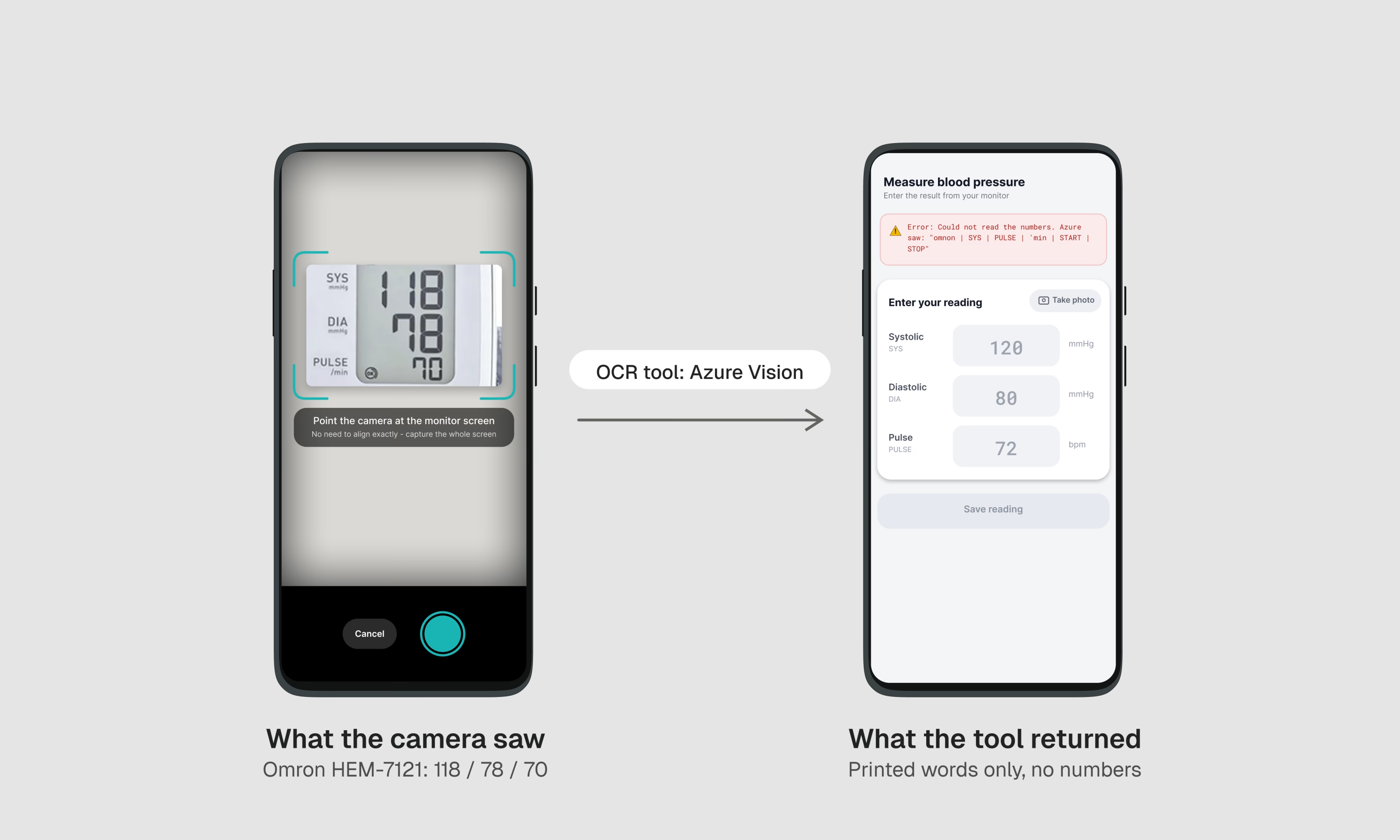
I tested OCR tools on blood-pressure monitor photos for my HeartDaily concept app. The tools I logged could not read the numbers, so I removed the scan.
I wanted my blood-pressure app to read three numbers from a monitor's screen. The tools with logged results could not read them, so I removed the scan and kept typing.
3 of 5
tools with logged results
9
test images, 7 brands
01
I thought a camera could replace typing three numbers
Could a phone read the monitor instead?
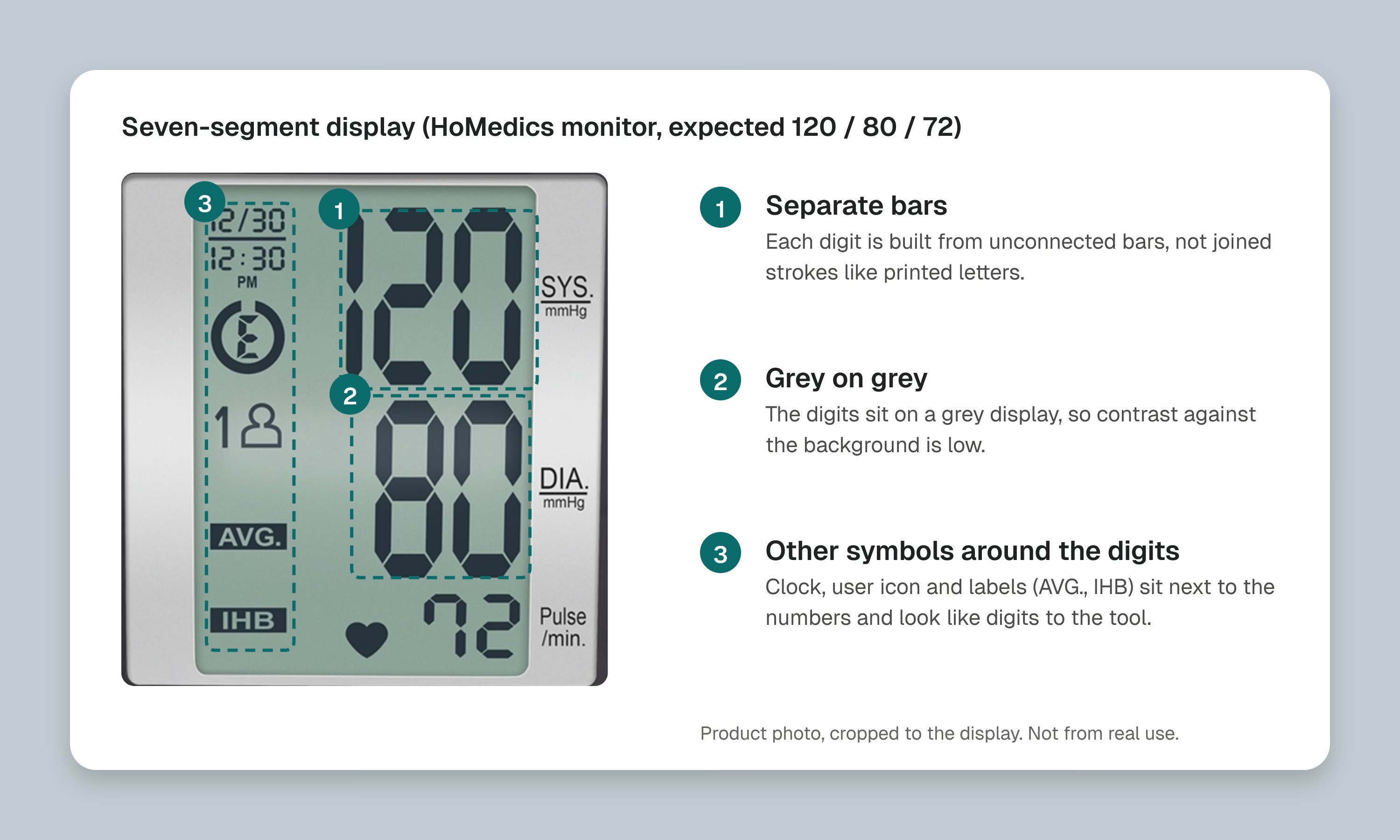
HeartDaily is my concept app for hypertension (high blood pressure) care in Vietnam. Users type three numbers (systolic, diastolic, pulse). I assumed this is slow for older users, and that phones already read screens well (both Assumption). So I designed a camera shortcut that uses OCR, software that reads text in photos.
FRAMING
Real experiments, no real patients
HeartDaily is a concept redesign. The app is live at heartdailyapp.org, but its users and research are a concept. I tested nine product photos (seven brands).
02
Reading the words was easy. Reading the digits was not.
What did I see?
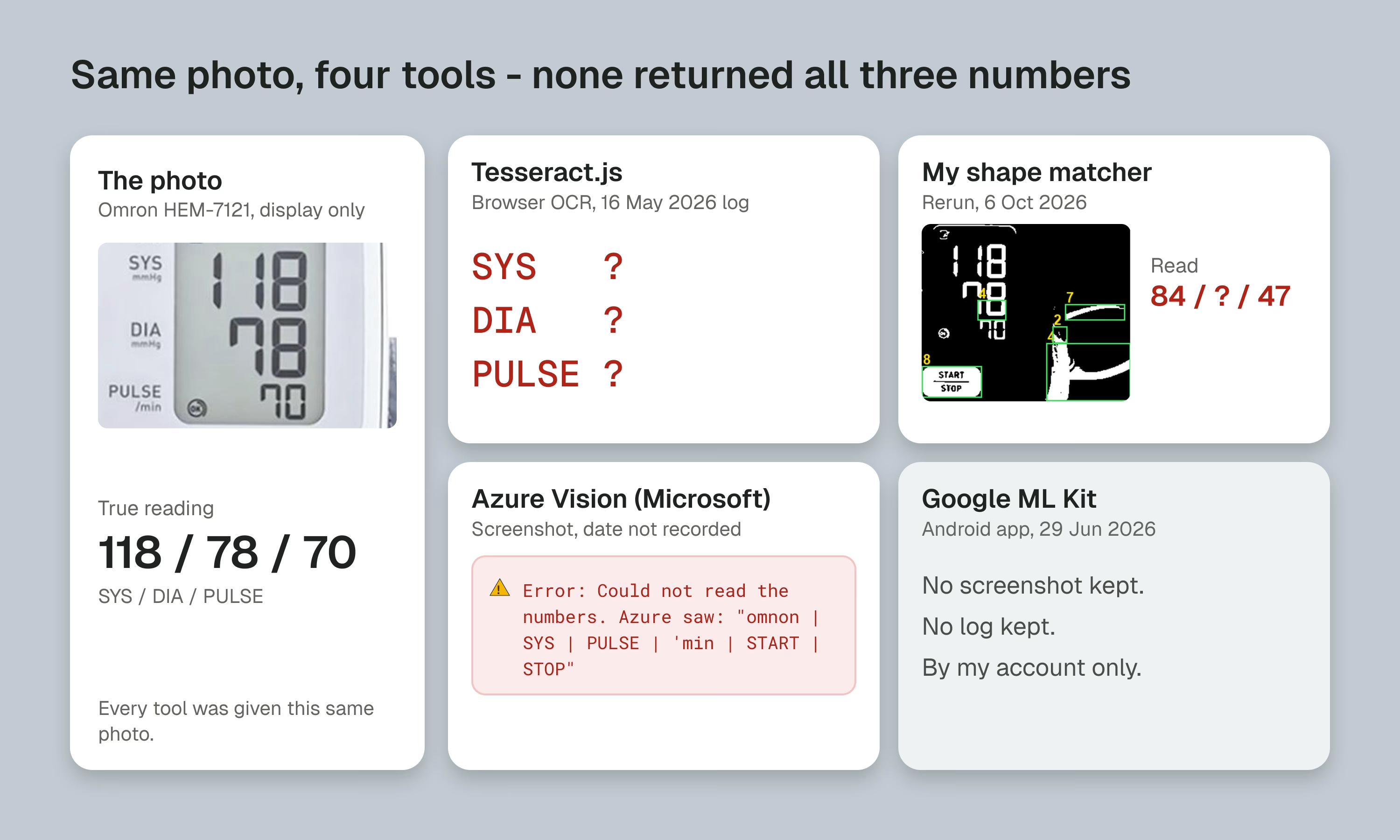
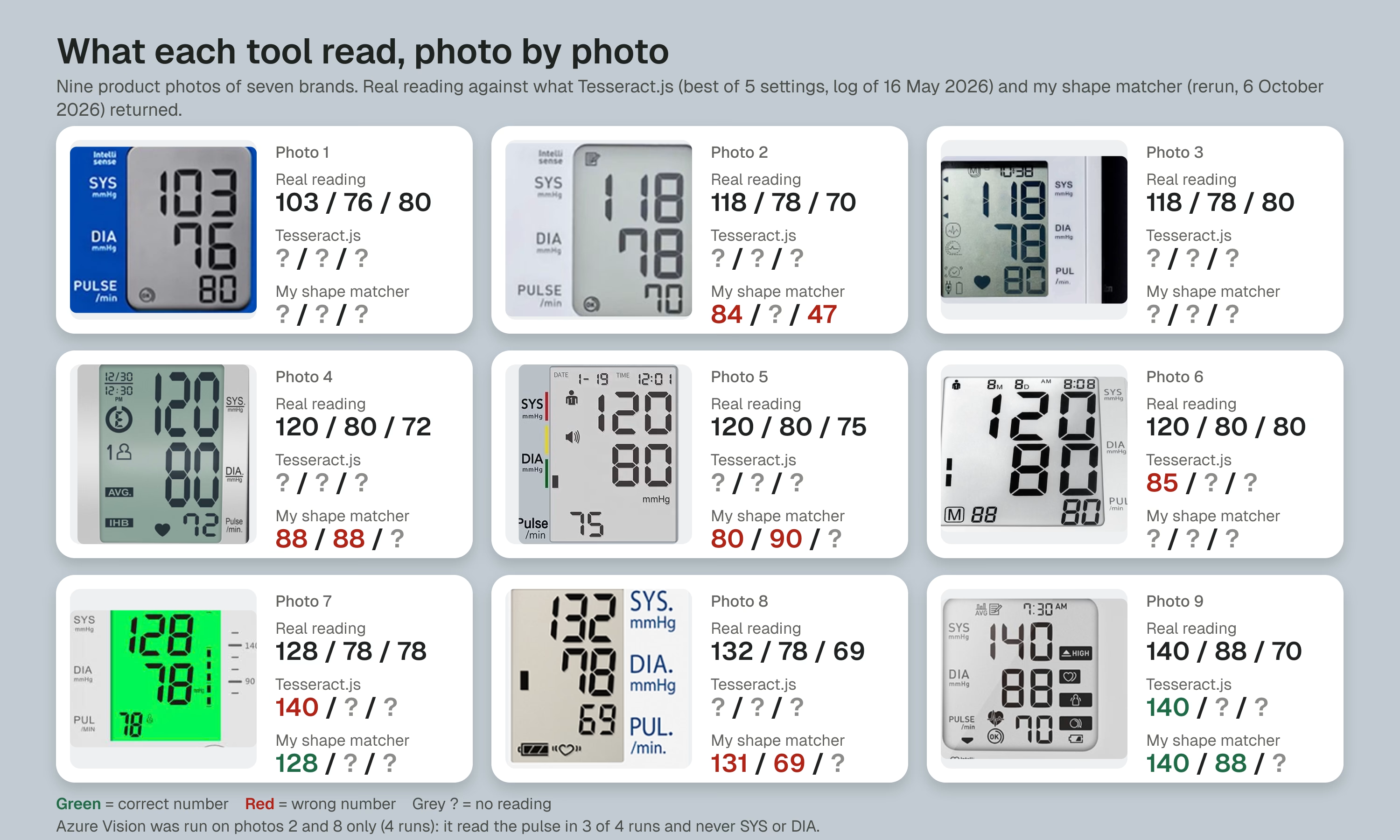
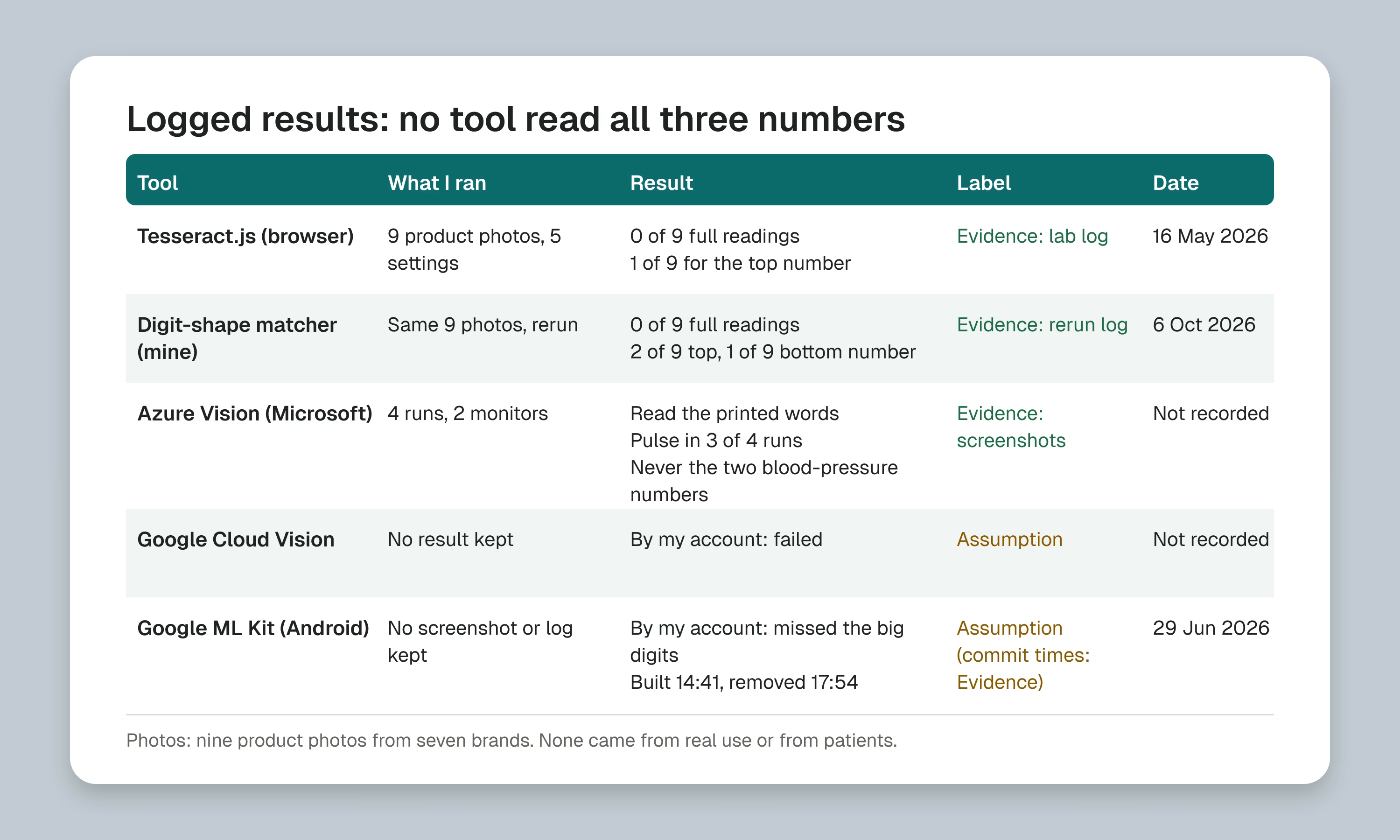
1.Tesseract.js, a browser OCR tool. 0 of 9 full readings, even with five settings (Evidence: lab log).
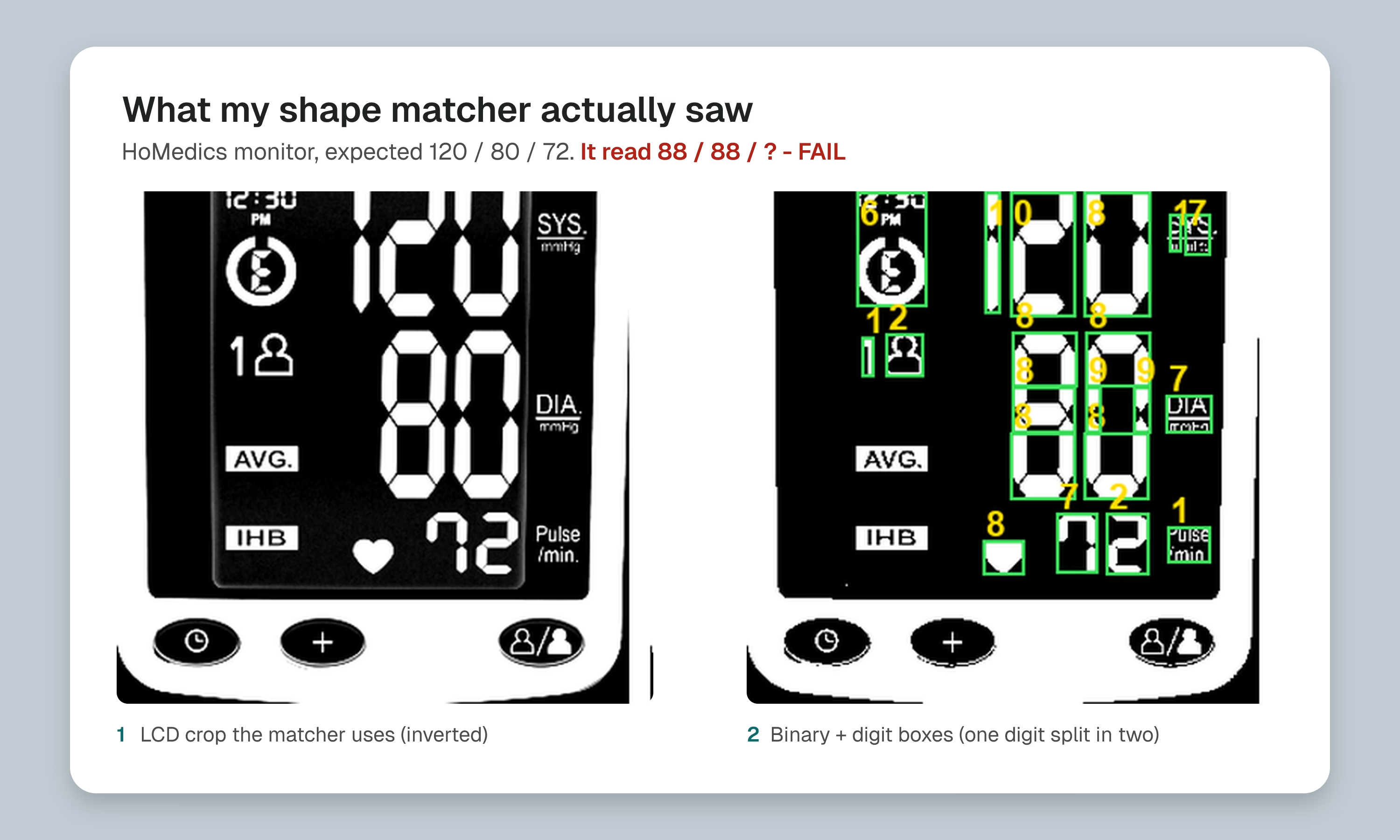
2.A digit-shape matcher I wrote. 0 of 9 full readings (rerun). It often cut the wrong area or joined digits to icons (Evidence: rerun log).
3.Azure Vision (Microsoft), inside my app. It read the printed words and, in three of four runs, the pulse (Evidence: screenshots).
4.Google Cloud Vision. Same kind as Azure. By my account it failed; I kept no result (Assumption).
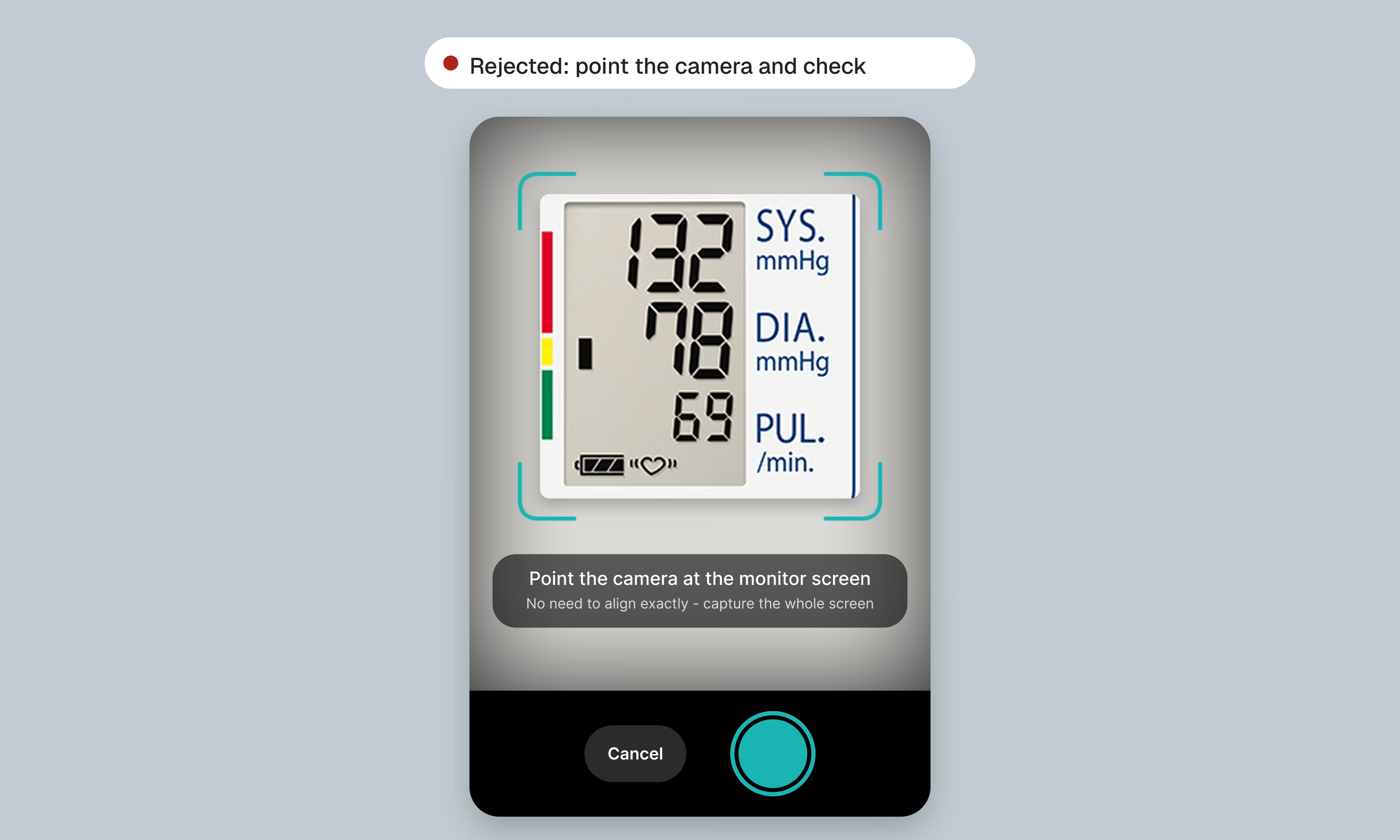
5.Google ML Kit (OCR for phones), in an Android app. I expected an Android-only app to work better (Assumption). By my account it missed the big digits.
WHAT THE FAILURES SHOWED ME
Words are not digits
Azure read the words, never the two blood-pressure numbers. The other logged tools missed the digits too.
03
No option met all four needs. I removed the scan.
What did I give up?
I removed OCR and kept typing
KNOWLEDGE I APPLIED
OCR expects connected letters, but seven-segment digits are separate bars. A wrong health number is worse than none. Health workers often have no internet. Health photos need privacy protection (Decree 13/2023).
What I saw and weighed
Change OCR settings. Train my own model (no training photos). Use a cloud AI: it read my nine images, but needs internet and costs money. I did not hide the answers (Assumption).
What I chose, and why
I removed the scan. I needed a tool that is free, offline, built into the app and accurate on seven-segment digits. None did all four.
TRADE-OFF
Lost: a feature I liked
It was not reliable enough for a medical product. A cloud scan is not built. It is only an idea.
I tested on a real phone before rewriting the app
KNOWLEDGE I APPLIED
Native app (made for one system) or web app: a rewrite must add what the web cannot do. Test the riskiest assumption first. Trust official documents over forum posts.
What I saw and weighed
My earlier plan: build an Android-only app, because ML Kit reads text as well as Google Lens. Source: forum posts (Assumption).
What I chose, and why
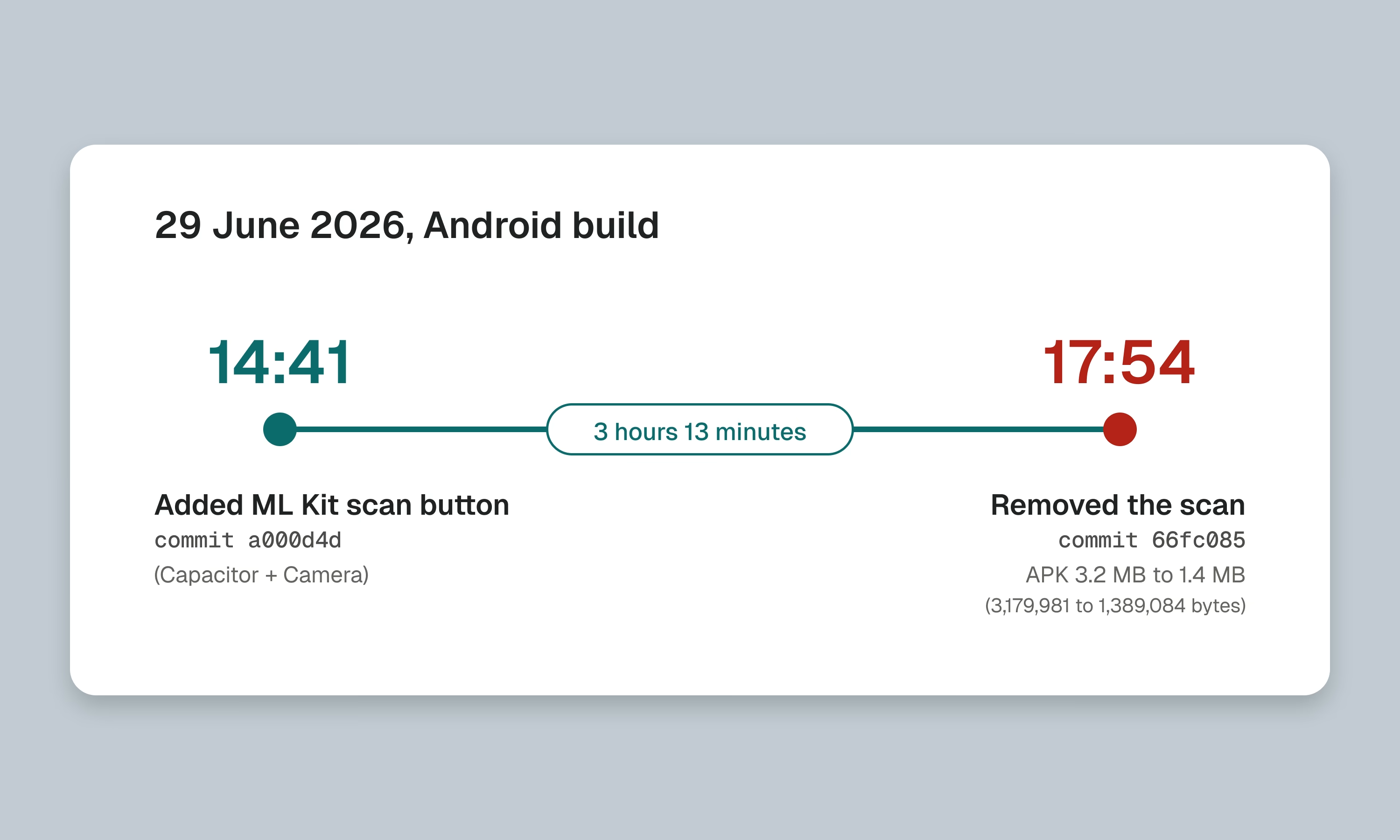
I first built a simple Android app with ML Kit. By my account it missed the digits. I removed it that afternoon (Evidence: commit times).
04
The scan was designed to avoid wrong numbers
Which screens show these decisions?
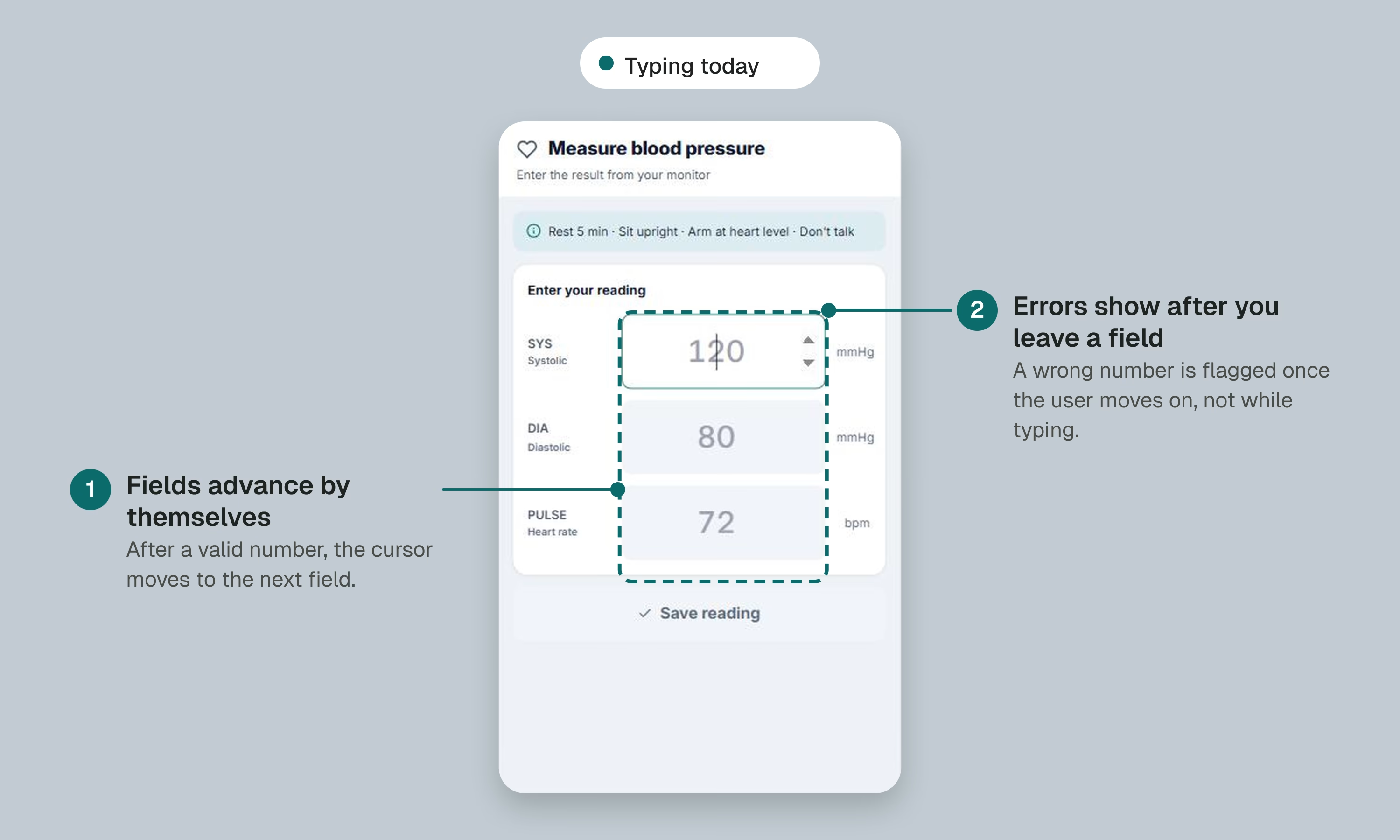
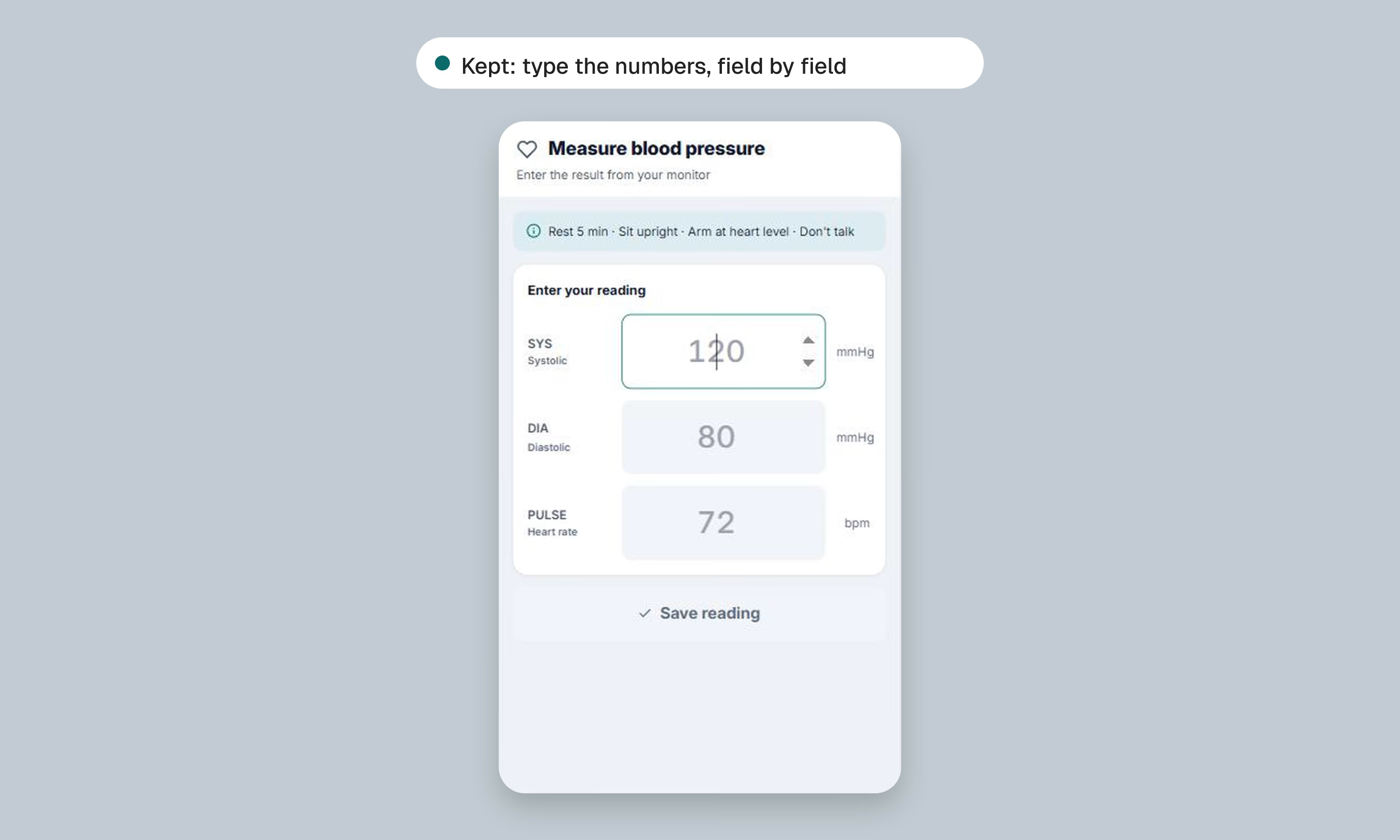
1.Typing today. Fields advance by themselves. Errors show after you leave a field.
05
OCR is removed. Typing stays.
What would I change?
Result (Evidence): the live app has no scan button.
•Hide the answers. Do not show the correct numbers to whoever reads.
•Test real conditions. Use glare, tilt and a thumb in the frame.
•Test on real hardware first. Do this before building around the riskiest assumption.
HONEST LIMITS
Nine easy test images
These are product photos, not real use. A cloud AI read all nine, but I did not hide the answers (Assumption).
Cost, internet and other options
Offline and free: Tesseract.js, my shape matcher, and Google ML Kit (runs on the phone). Cloud: Azure Vision, and Google Cloud Vision (paid after 1,000 calls a month). Two options I did not run. My own digit model: works offline once built. A published paper reports over 98 percent. I have no labelled training photos (Assumption). Cloud AI that reads images: online, paid per image. It read my nine product photos. I did not hide the answers (Assumption).
How I ran the tests
Method: I designed and judged the experiments. I built them with an AI coding assistant (Claude Code). Lab log: a Tesseract.js test on nine product photos, 16 May 2026 (results.md). It used five settings and kept the best result for each image. A seven-segment training file also froze Tesseract.js version 5 at start-up. Rerun: 6 October 2026, on a copy of the lab with the same code and the same nine photos (folder evidence-rerun-2026-10). Screenshots: four Azure runs on two monitors (Omron HEM-7121 and A and D UA-611). Commits: HeartDaily repository, 29 June 2026. Commit a000d4d added the ML Kit scan. Commit 66fc085 removed it. The app package went from 3.2 MB to 1.4 MB.
Sources I checked
Google documents: the ML Kit Translation page says it uses the same models as the Translate app in offline mode. The Text Recognition v2 page does not mention Lens or Translate (developers.google.com/ml-kit). Google Research, 4 September 2019: Lens in Google Go recognises text on a server. Firebase issue 785, opened 14 January 2019: a developer reports that ML Kit fails on seven-segment images. Its status is closed. MeasureBench (arXiv 2510.26865): on real digital displays, Gemini 2.5 Pro scored 80.2 percent and Claude Opus 4.1 scored 38.5 percent. This is one source and only an indication. Moreira (arXiv 2210.01325): models read seven-segment medical displays with over 98 percent accuracy. This is also one source. The tool ssocr (by Erik Auerswald) exists because general OCR fails on digits made of unconnected bars.
Keep reading
All explorations →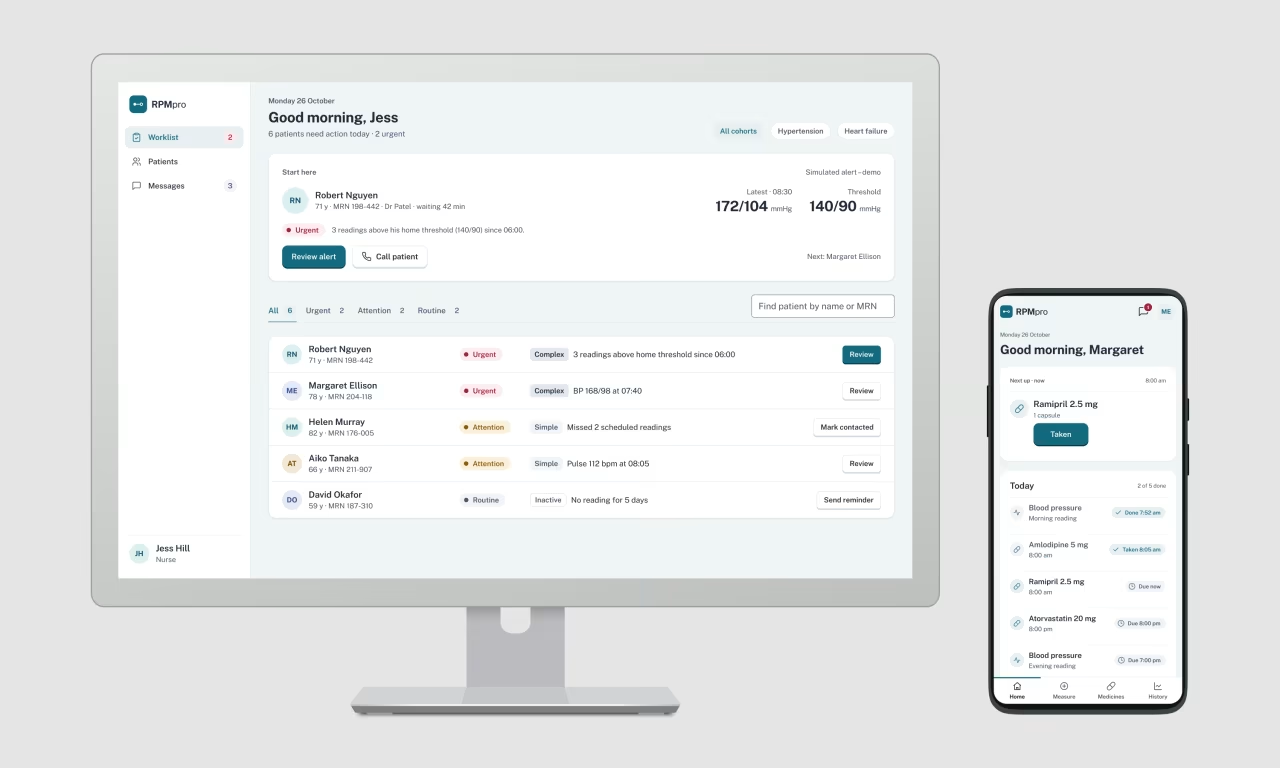
RPMpro: Designing a Remote Patient Monitoring Platform for Cardiology Clinics
Read more →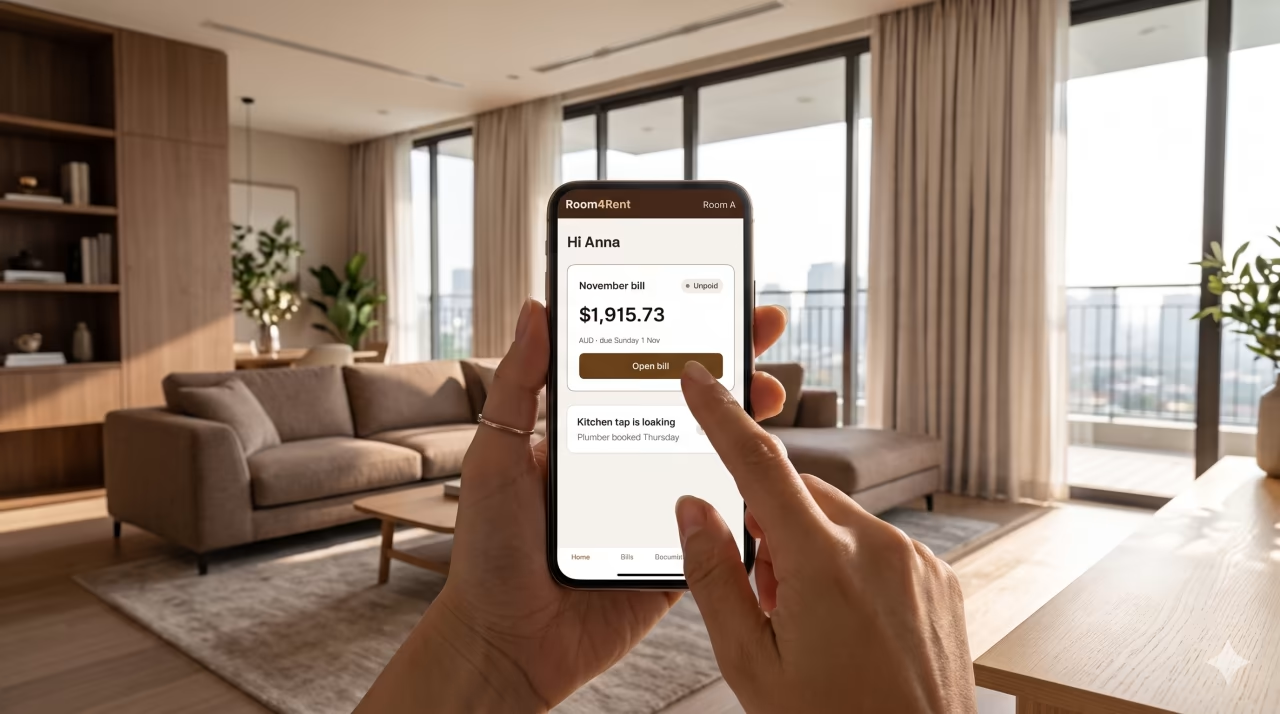
Designing a Rental Management App for Managers, Owners and Tenants
Read more →
LinkedIn account recovery: a redesign for users who fail ID verification
When LinkedIn restricts an account, ID verification can be the only way back. It fails when the name on the ID differs from the profile name, and the flow then loops with no exit. I redesigned the recovery path in four changes, ordered by how hard each is to approve: re-verify through Google, show the restriction status, branch recovery by evidence, and collect recovery proof up front.
Read more →