Overview
An online booking flow where dealership customers request a test drive or service and every booking reaches one salesperson with full details
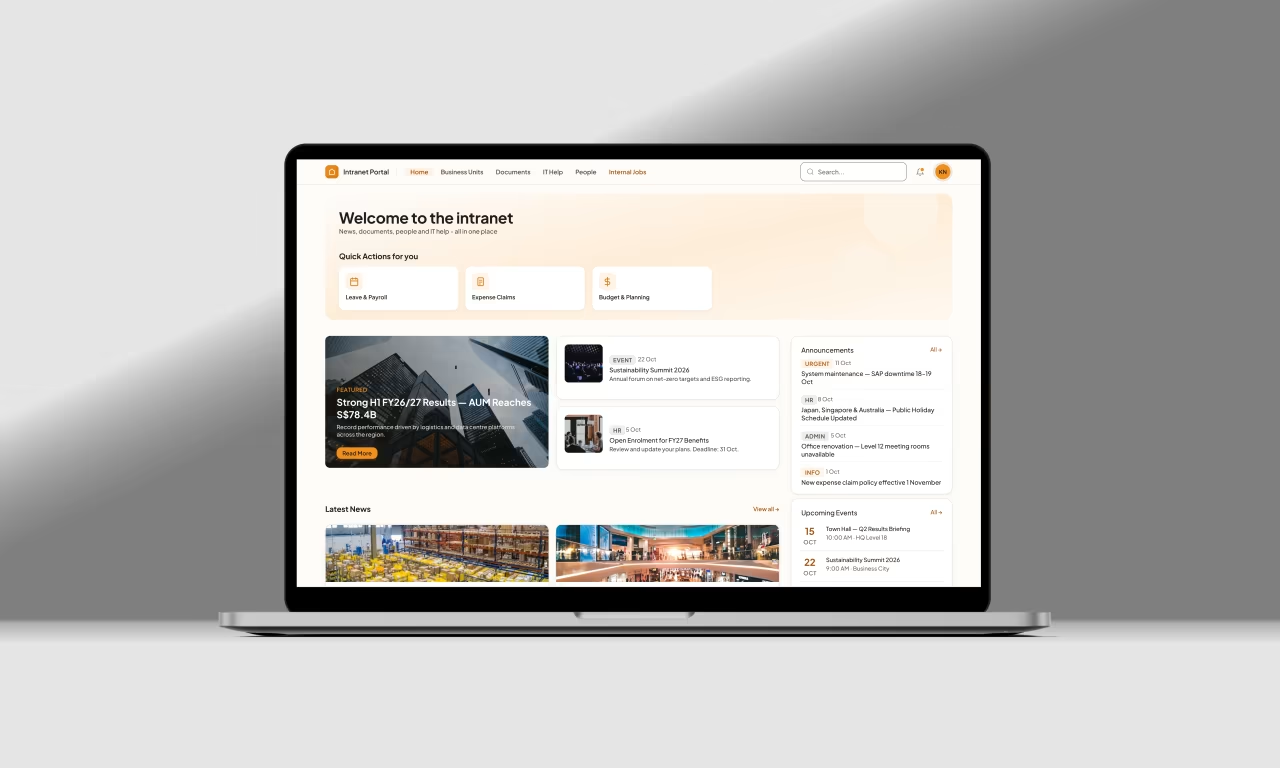
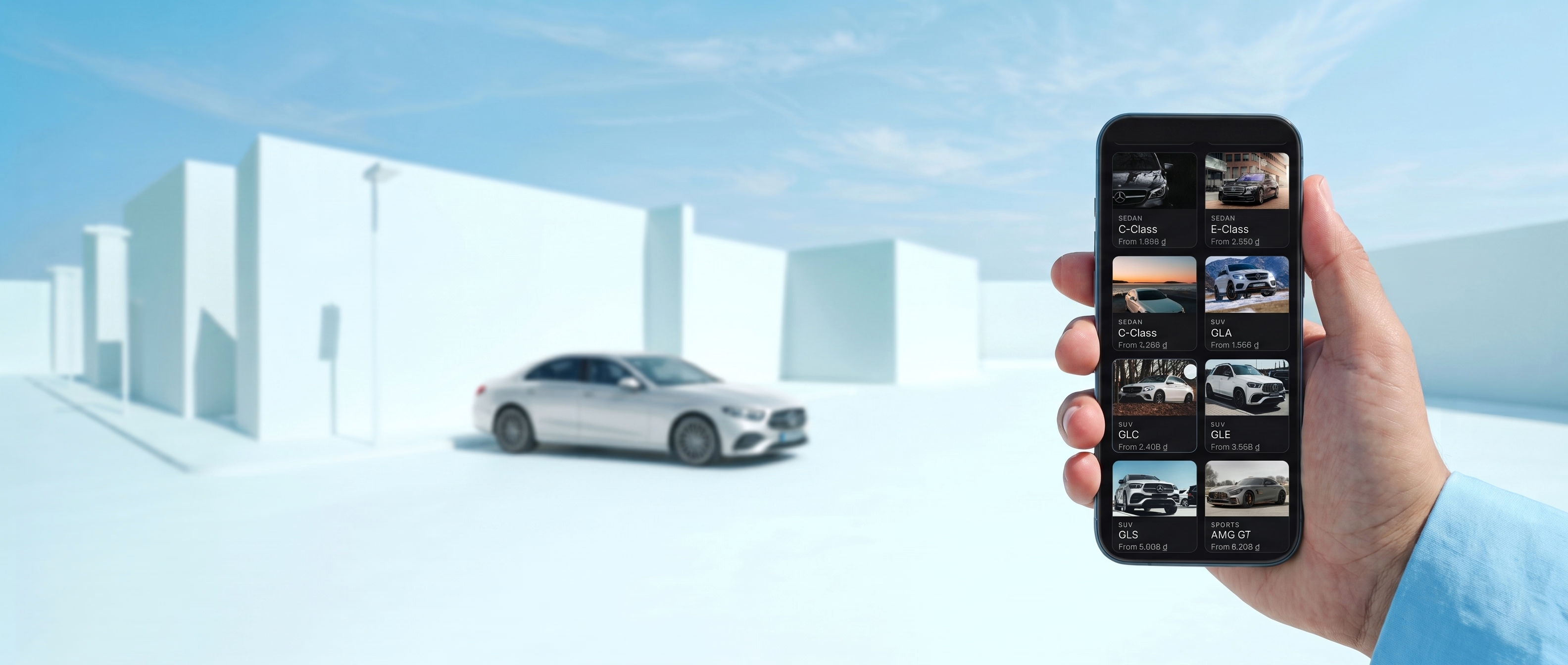
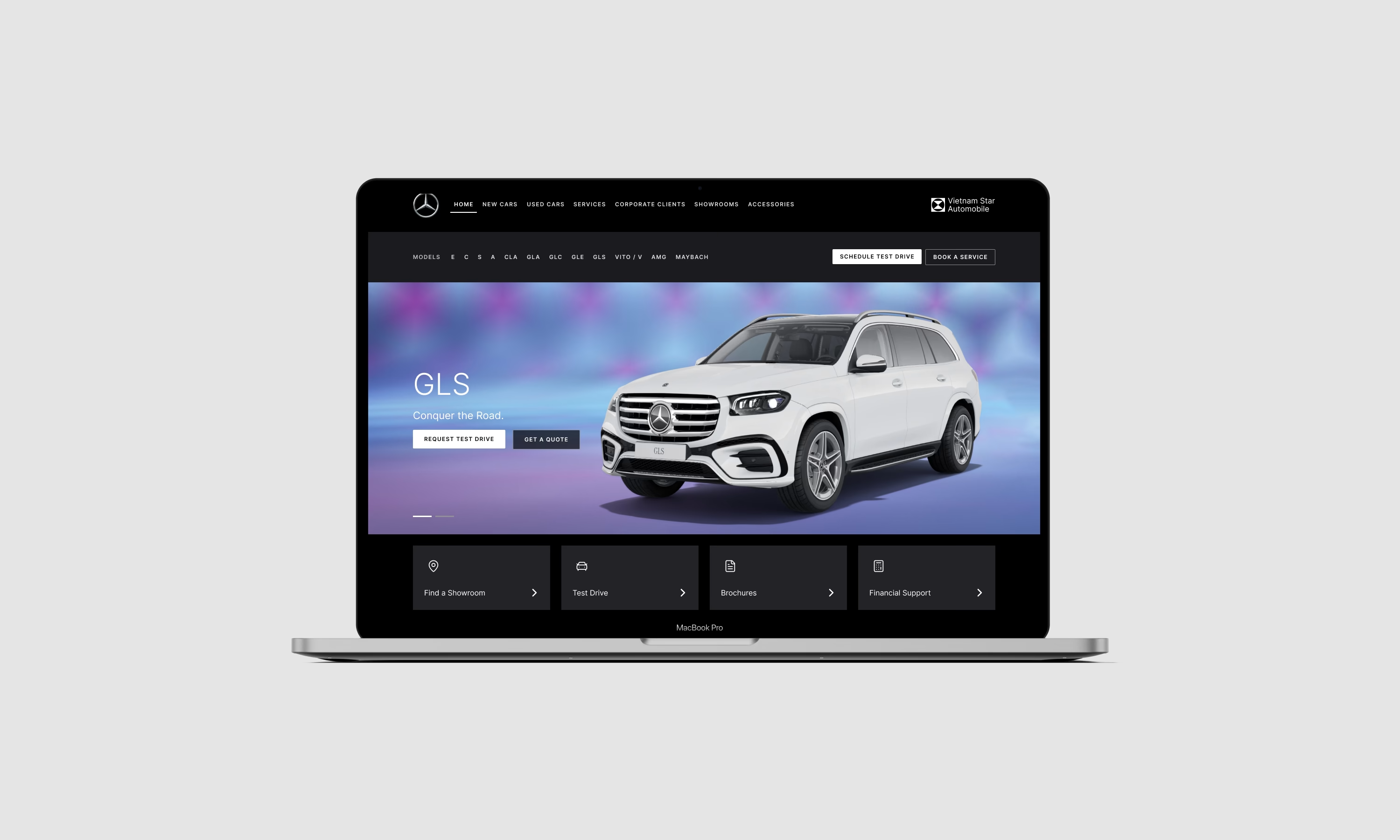
As the Marketing team designer at Vietnam Star Automobile, a Mercedes-Benz dealer, I redesigned the website and shipped an online booking flow for test drives and service, because hotline bookings passed through many people with no clear owner or tracking. I interviewed CS, Sales, Service and management, redesigned the flow, and tested it with them. Screens recreated from my original Photoshop designs. Expectation: a higher share of bookings confirmed within 2 hours.

Research
Interviews with CS, Sales, Service and management, and both booking routes mapped, showed where bookings lost their owner
Primary user: a customer booking a test drive or service. I interviewed CS, Sales, Service and management, and followed both booking routes from start to finish. Hotline bookings went to CS, who kept them on paper and notes. Website bookings went from Marketing to the sales manager to a sales leader, who chose the salesperson.
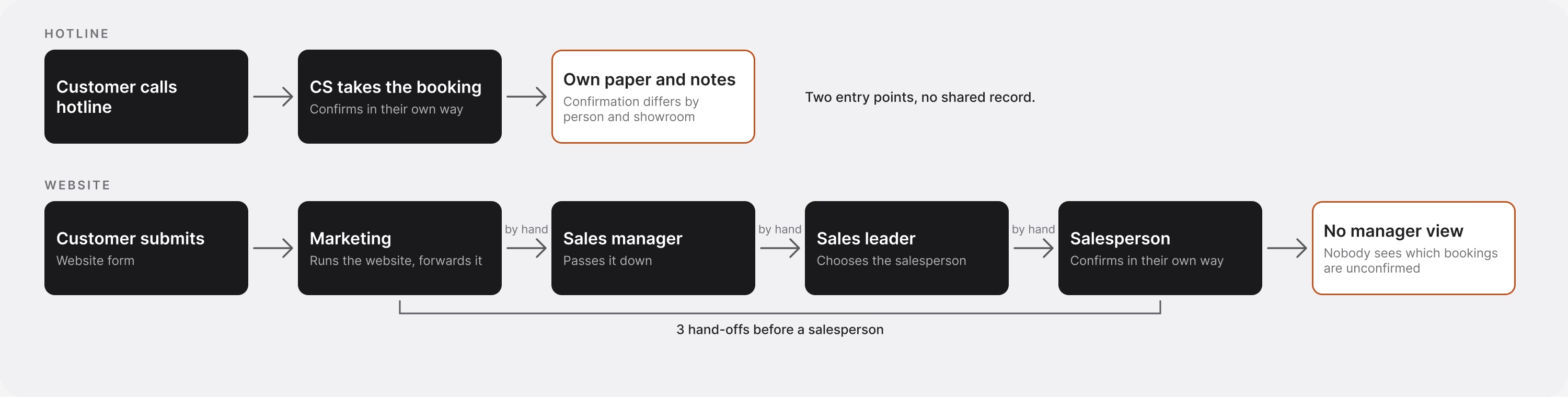
Three findings shaped the design. Confirmation differed by staff member and showroom, so the customer's experience depended on who took the booking. Each salesperson tracked appointments by hand, so managers had no shared view of unconfirmed bookings. Hotline and website bookings never met in one record, so the hotline had to stay and feed the same system.
Challenges
Four problems, Entry, Dates, Contact and Owner, all came from bookings having no shared rules
Entry: test drives and service need different data, but customers need one place to start. Dates: a date picked first gives CS no car or service to reserve. Contact: salespeople each confirmed in their own way and held the customer's phone and email. Owner: three people passed each booking along by hand, so managers could not track it.
Decisions
Four design decisions gave each booking one start screen, one date rule, one contact rule and one owner
01 - Flow
One start screen leads to two booking paths
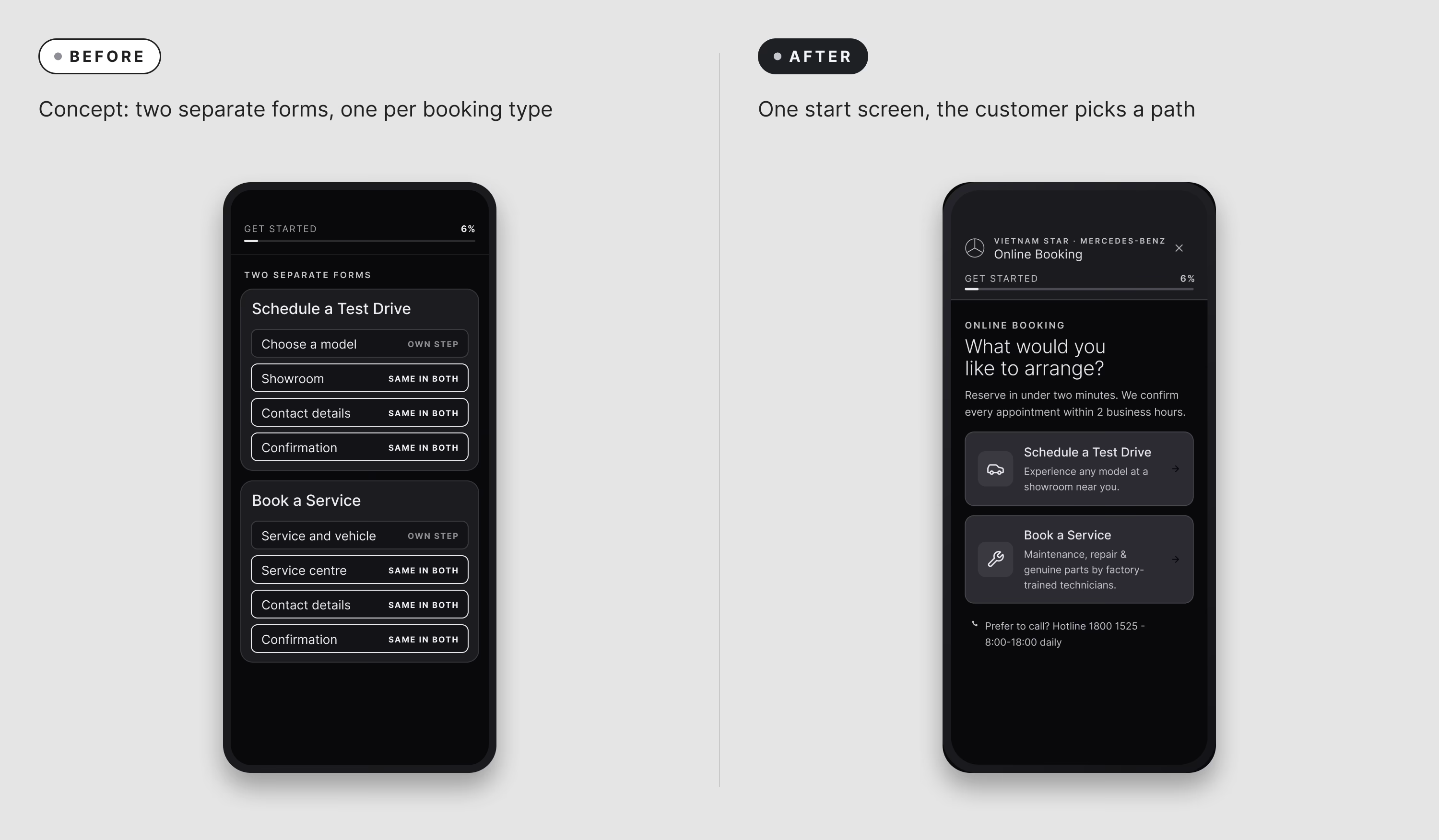
This was a flow decision: for the Entry problem, I rejected two separate forms because the shared steps (details, place, confirmation) would be built and maintained twice. I chose one start screen where the customer picks a type, then each path has its own first step. Trade-off: CS receives two types of request.
02 - Flow
Contact details and the car or service come before the date
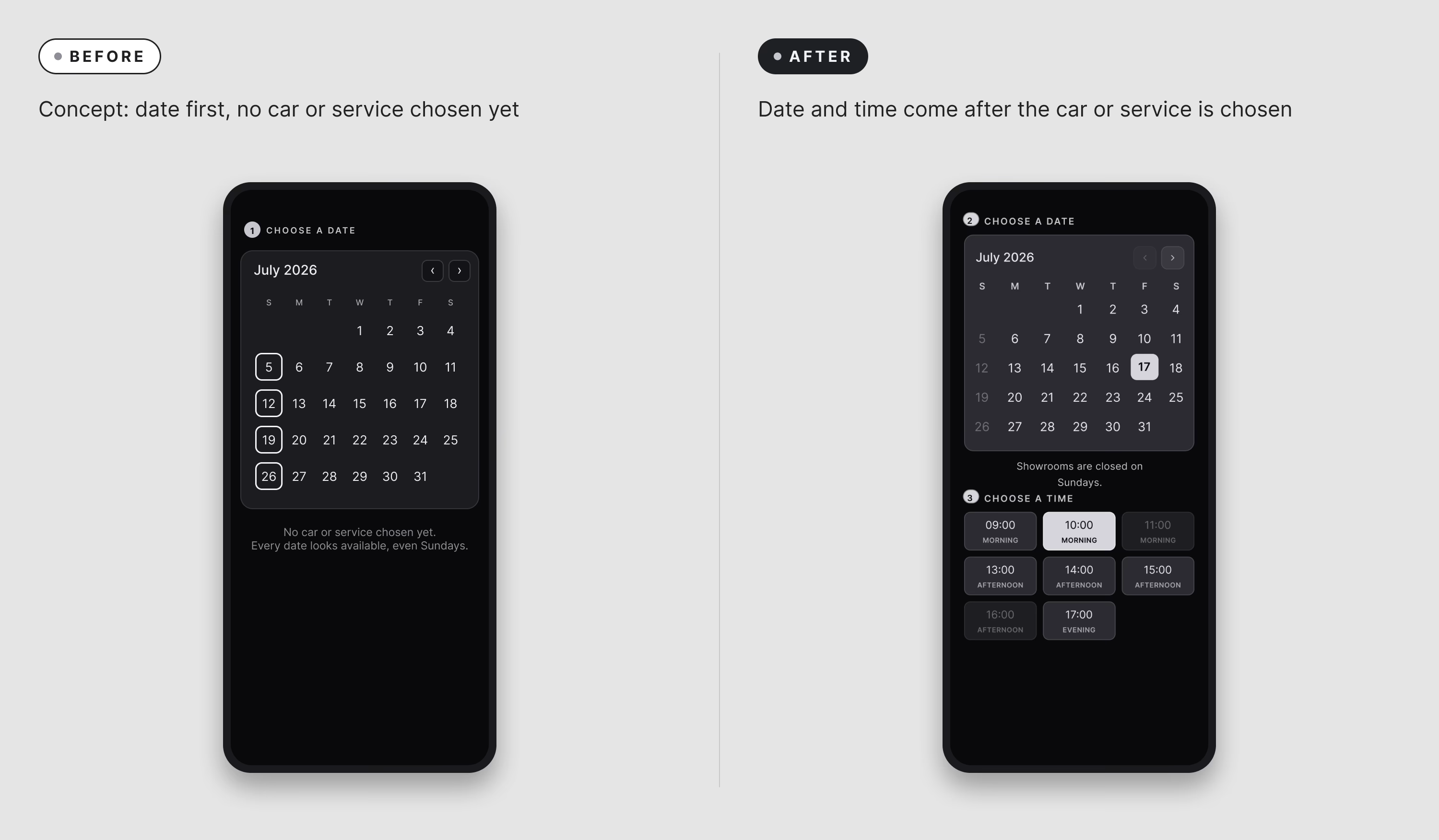
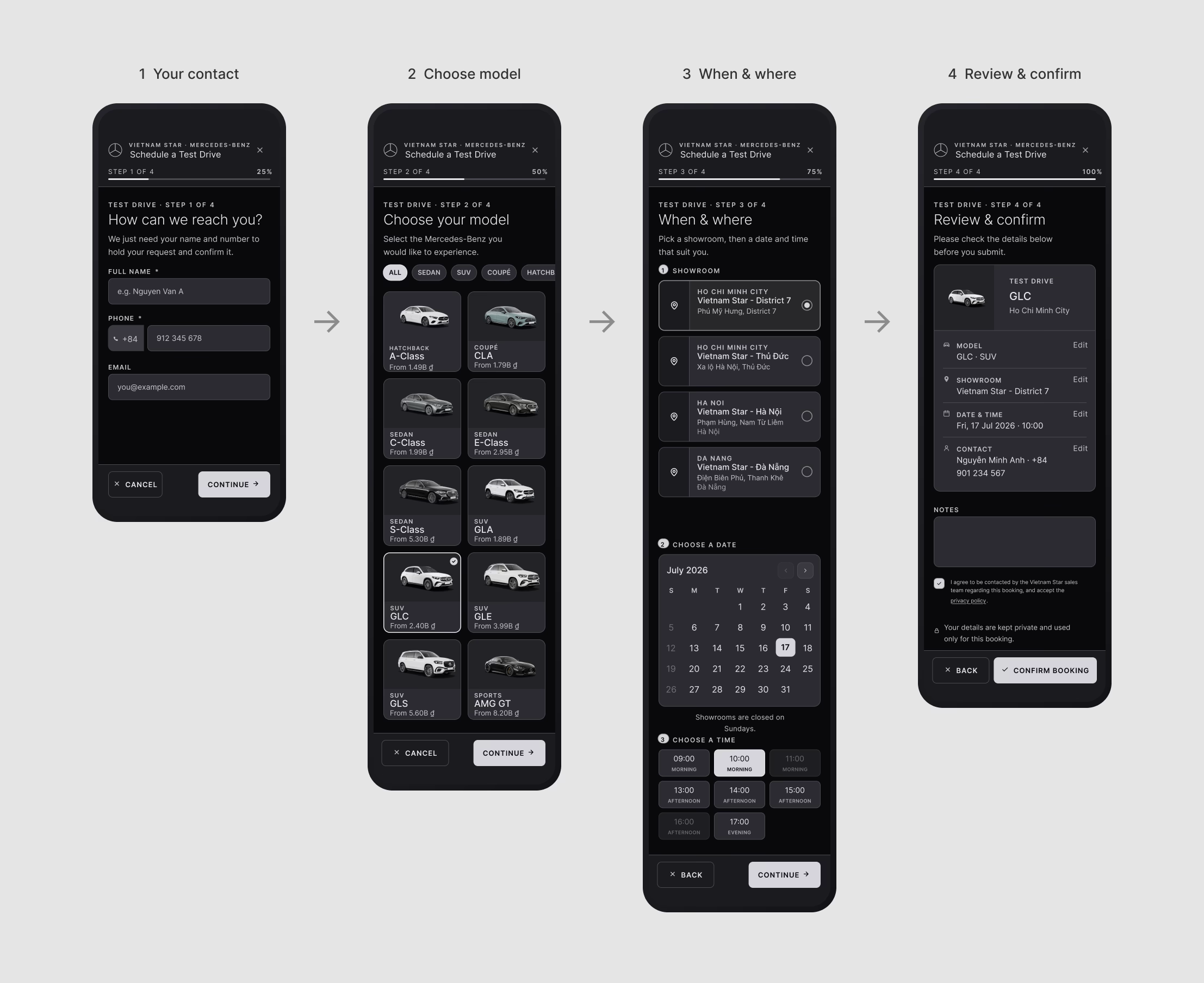
This was a flow decision: for the Dates problem, a date picked first gave CS no car or service to reserve. I rejected date-first with free dates because each model has one demo car. I put contact details and the car or service first, so CS can follow up if a customer leaves midway, and set one-hour slots with past dates and Sundays switched off. Trade-off: one-hour slots limit test drives per day.
03 - Information architecture
Salespeople see the booking and a code, not contact details
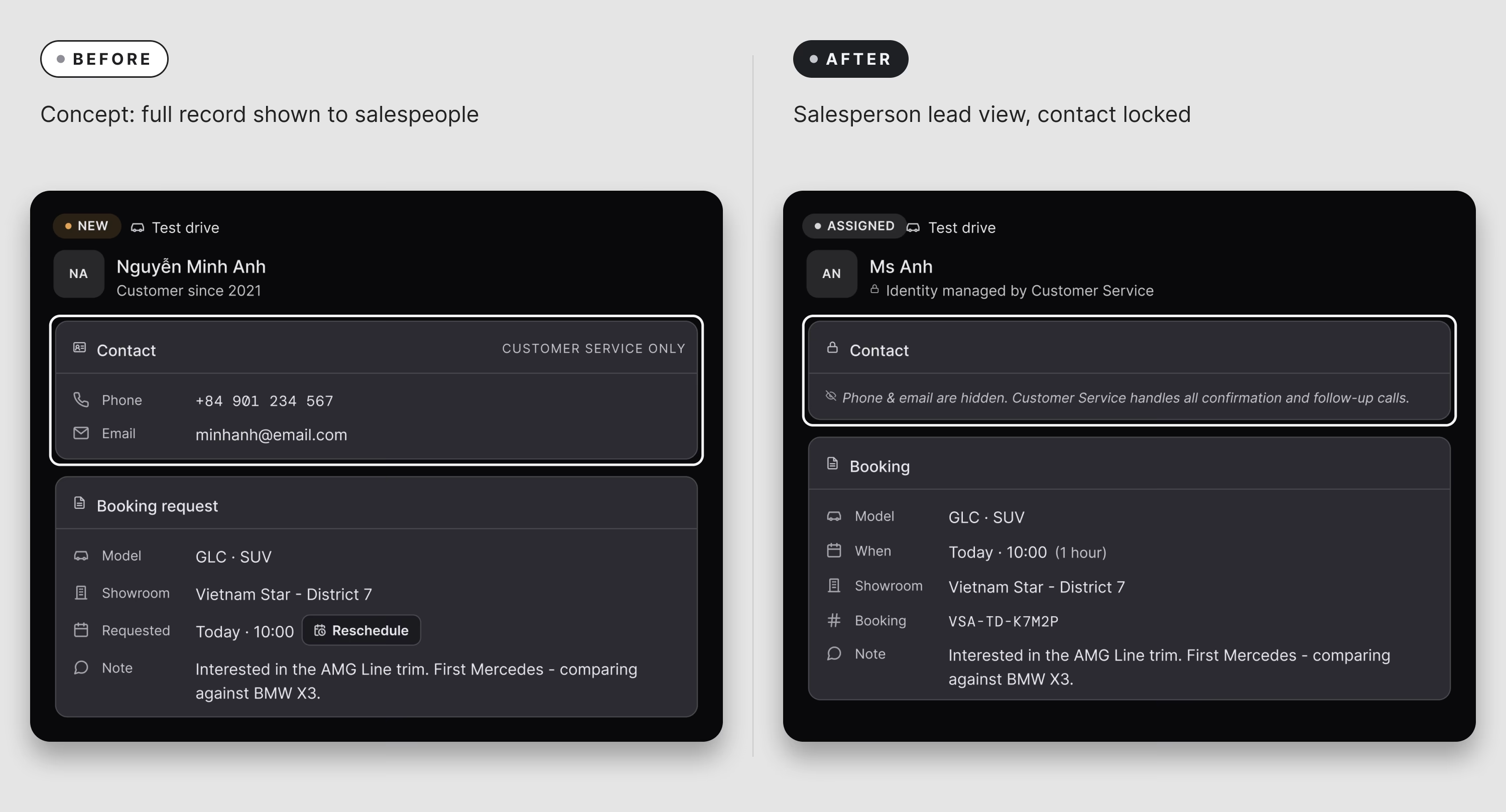
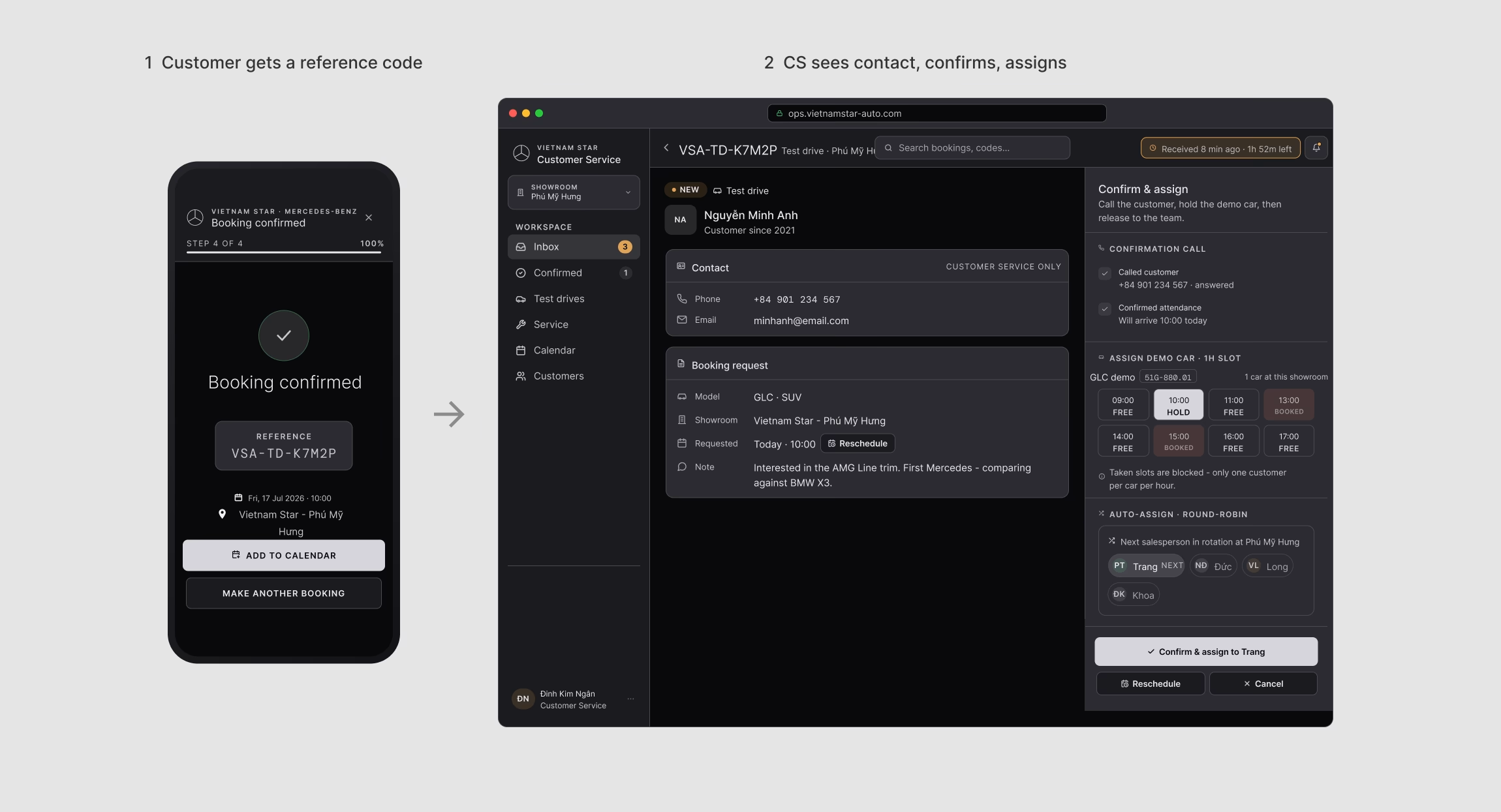
This was an information architecture decision: for the Contact problem, salespeople held the customer's phone and email. I rejected showing everyone the whole record because phone numbers would spread across the sales floor. I chose to show each role only what it needs: CS keeps contact details, and salespeople see the booking, note and reference code. Trade-off: salespeople cannot call customers, so CS must confirm within 2 hours.
04 - Flow
Each confirmed booking goes to the next salesperson in turn
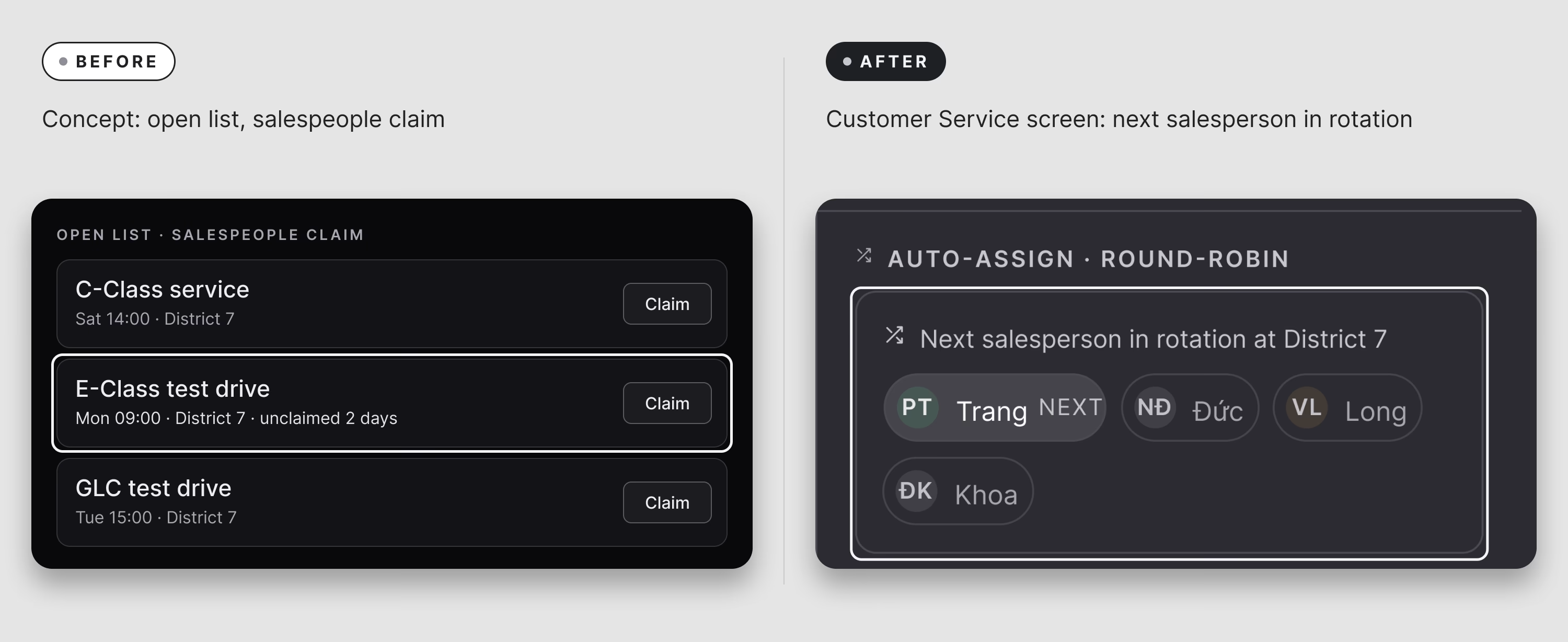
This was a flow decision: for the Owner problem, three people passed a booking along by hand. I rejected an open list where salespeople claim bookings, because unclaimed bookings stay unassigned. I chose assignment in turn (round-robin), so every booking has one owner and managers see its status. Trade-off: a fixed order is too strict for specialist cases, so staff need a manual override.
Design system
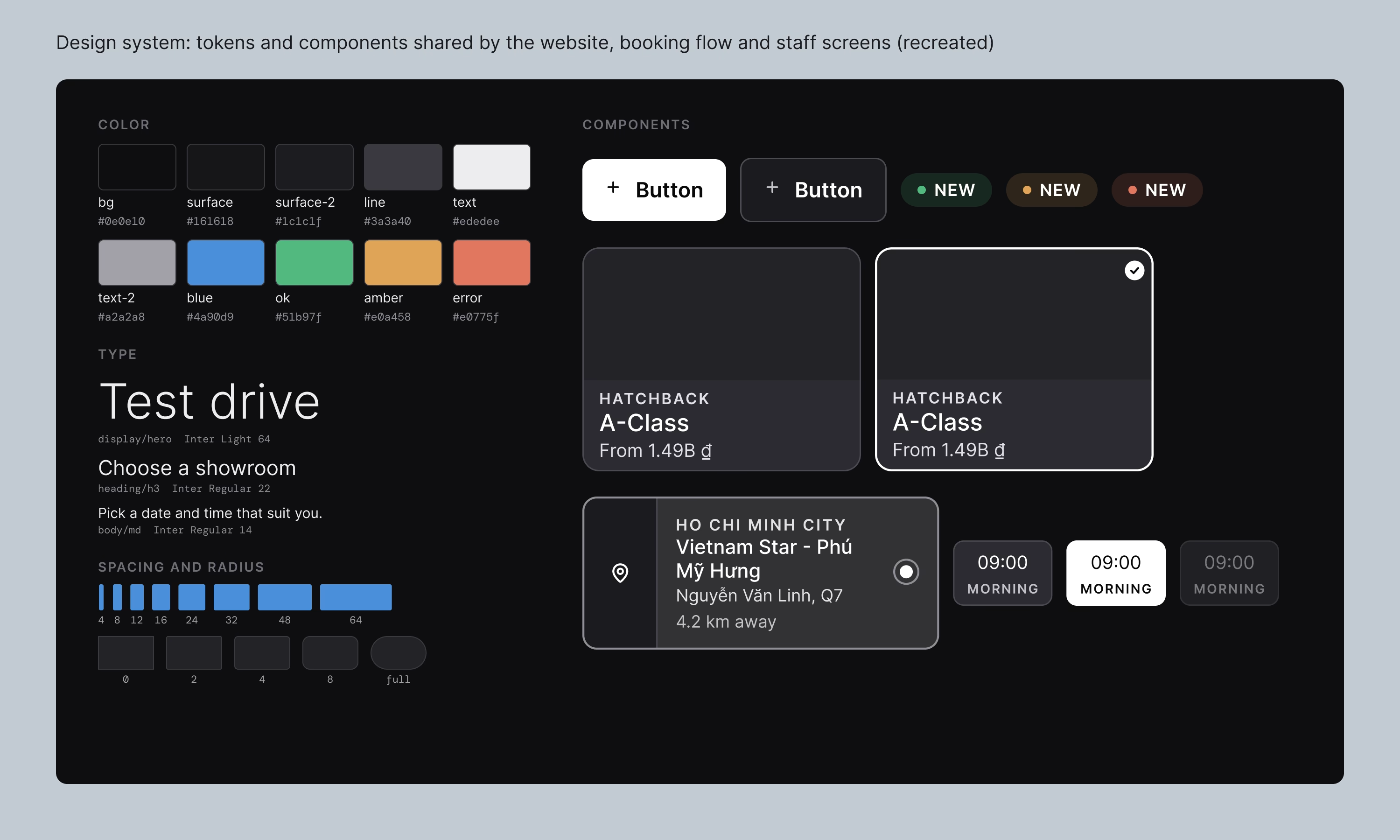
Recreating the screens produced one token set and a shared component library for the website, booking flow and staff screens
This system comes from recreating the screens, not from the 2014-2016 project. I rebuilt every recreated screen from one token set (color, type, spacing, radius) and a component library, so the website, the booking flow and the staff screens reuse the same buttons, cards, status pills and form fields.
Testing
I created test drive and service bookings from each source and followed them from CS to the salesperson
I tested the flow with the Marketing, CS, Sales and Service teams. For test drives, I created booking tasks from each booking source and followed them from CS to the salesperson to see how the flow ran. I ran the same test for service bookings.
Reflect
Customers booked online while the hotline kept running, and next time I would watch CS at work before designing
Outcome: customers booked test drives and service online on desktop and mobile web across all dealership branches, while the hotline kept running and CS entered those bookings by hand. Hypothesis: complete requests mean fewer callbacks from CS. I have no measured numbers.
What's next: I would watch CS and the sales floor at work before designing staff screens, and design the manual override for specialist cases.